01
A cleaner day begins with a smaller system.
Choose a few activities and keep the system small enough to survive a real week.
See where the day actually goes.
Track activity in real time. Review the week with clarity. Cut the noise before it compounds.
Prefer to try it now? Join the public beta on TestFlight.
01
Choose a few activities and keep the system small enough to survive a real week.
02
Start what you are doing now. Switch only when the work actually changes.
03
Drift, reactive admin, and shallow switching stop hiding inside vague frustration.
Leaks are easier to cut when they show up in plain sight.
04
Insights turns recent days into a clear read on what is compounding and what is slipping.
05
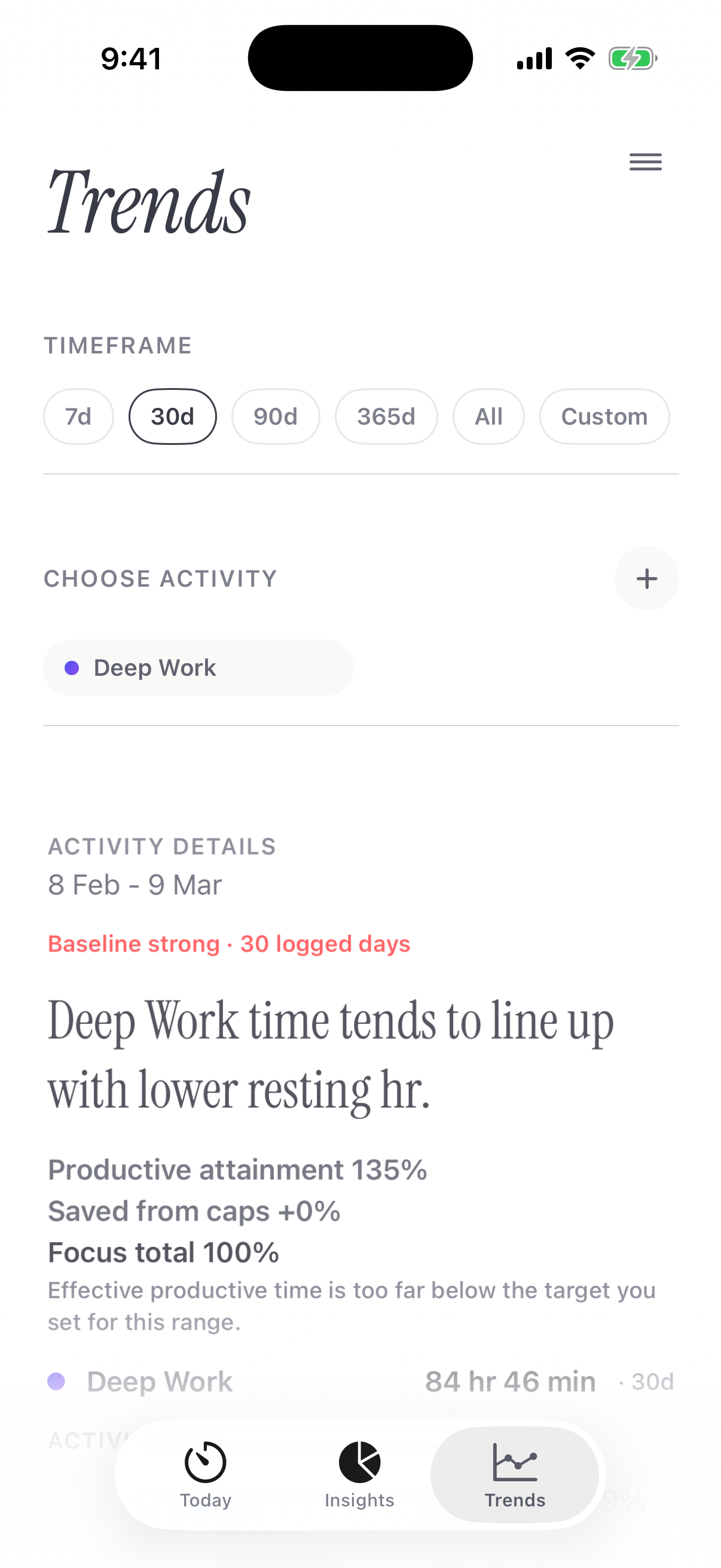
Over time, Trends shows what tends to move together across activity and Health context.


01
Choose a few activities and keep the system small enough to survive a real week.
02
Start what you are doing now. Switch only when the work actually changes.
03
Drift, reactive admin, and shallow switching stop hiding inside vague frustration.
Leaks are easier to cut when they show up in plain sight.
04
Insights turns recent days into a clear read on what is compounding and what is slipping.
05
Over time, Trends shows what tends to move together across activity and Health context.
These notes focus on the evidence most directly behind TIM: capture the day close to the moment, reduce fragmentation, and review patterns with context instead of guesswork.
TIM reads Apple Health, so Apple Watch data is straightforward and compatible sources such as Oura or WHOOP can flow through too once they are already syncing into Apple Health.
TIM currently uses the Apple Health categories it supports today, including sleep duration, resting heart rate, heart rate variability, steps, and workout duration, then compares them with your logged activities.
Over time you start seeing which routines support focus, where training or poor sleep drags on output, and what needs protecting if you want better weeks.
Tim AI turns your logged activity, weekly aggregates, and trends into fast natural-language answers grounded in your data.
Ask what is slipping, what is improving, or what deserves protection next.
Tim AI works like a performance coach and data scientist in your pocket, grounded in your actual activity and trends.
You get a digestible weekly read, then the ability to ask direct follow-up questions.
Tim AI uses the secure cloud path by default for the strongest replies. On supported iPhones, you can switch Tim AI to on-device mode in Settings.
Make the gaps visible, protect what matters, and let decisions come from patterns instead of guesswork.
TIM is built for founders, operators, creatives, and other knowledge workers who want a clearer record of how the day actually moves.
No. TIM is there to show how time was actually used, not to become another planning system.
No. Health sync is optional. The core product works without it, and Health only matters when it adds useful context to longer-term patterns.
In TIM, open Settings, choose Apple Health, then tap Connect Apple Health. iPhone will show the Apple Health permission sheet so you can approve the categories you want TIM to read.
TIM reads from Apple Health rather than from each wearable separately. If Apple Watch or a compatible app or device such as Oura or WHOOP is already writing data into Apple Health, TIM can use the categories you authorize there.
No. The core daily tracker, Insights, and Trends stand on their own. Tim AI adds fast natural-language analysis and follow-up questions on top of the data.
Yes. Tim AI Cloud is the default mode for Tim Pro and is designed to give the strongest replies. On supported iPhones, you can switch Tim AI to on-device mode in Settings if you prefer local processing. In cloud mode, TIM may fall back to on-device Tim AI if cloud processing is unavailable. In on-device mode, requests stay on the device and do not fall back to the cloud.
TIM does not promise outcomes. It gives you a clearer record, exposes the noise, and makes better decisions easier to support with evidence.
Core tracking is local-first. Optional Apple Health access and Tim AI cloud requests are explained in the privacy documents on this site.